June 12, 2026
Self Check-In for Vacation Rentals: A Host's Honest Guide
How to set up self check-in for your Airbnb or vacation rental — lockboxes, smart locks, and arrival instructions guests can actually follow at midnight.
Two summers ago, a friend of mine who rents two apartments in Zadar spent most of a Saturday evening on his terrace with his phone in his hand, waiting. His guests — a Czech family of five — had messaged at four to say they'd arrive "around seven." At seven they were stuck behind an accident on the A1. At nine they stopped for dinner. They rang his doorbell at 23:40.
He handed over the keys, did the apartment tour, smiled through all of it. Then he did roughly the same thing the following Saturday. And the one after that.
This is the part of hosting nobody romanticizes: being a human key-delivery service with no scheduled delivery time. Your evening is hostage to someone else's ferry, someone else's border queue, someone else's decision to stop for ćevapi outside Karlovac.
Self check-in fixes this. But it only fixes it if you set it up properly — and most of the advice out there focuses on the wrong half of the problem.
What self check-in actually means
Self check-in means guests can enter your property on their own, without meeting anyone, using a lockbox, a smart lock, a keypad, or a key left at a nearby business. On Airbnb it's a listing feature guests can filter for, and the platform sends your check-in instructions automatically a few days before arrival.
That's the definition. The reality is simpler and more demanding at the same time: self check-in is a promise that a tired stranger, arriving at an address they've never seen, possibly at midnight, will get through your door without calling you.
Keep that sentence in mind. Everything else in this article is in service of it.
The hardware is the easy part
Hosts agonize over this choice far more than they need to.
A basic lockbox costs about 25–35 euros and screws to a wall in twenty minutes. It holds a key, it has a code, it works without batteries or WiFi. Its weakness is that the code only changes when you physically change it — which means you have to actually do that between guests, and many hosts quietly don't.
A smart lock costs several times more and solves that problem elegantly: a unique code per guest, generated automatically, expiring at check-out. Some models talk directly to your booking calendar. The trade-off is that you've now introduced batteries, firmware, and WiFi into the one mechanism that absolutely cannot fail. When a smart lock works, it's wonderful. When it doesn't, your guest is standing in the dark in front of a dead piece of electronics.
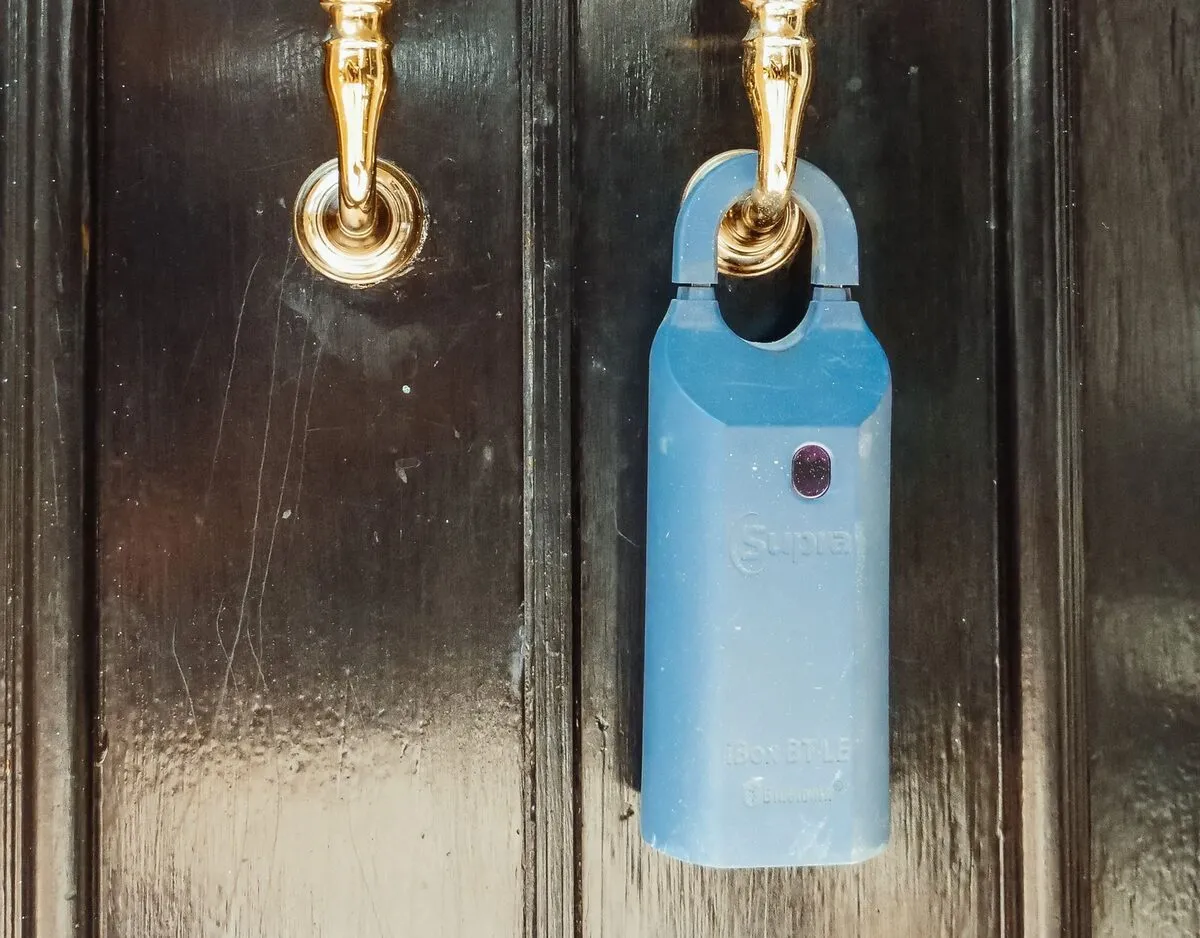
Here's my honest take: for one or two apartments, a lockbox with a disciplined code-rotation habit is perfectly fine. For more units, or for a property you can't reach in fifteen minutes, the smart lock earns its price.
But notice what neither device solves. The lock is the last two meters of the journey. Almost nothing goes wrong in those two meters.
Where self check-in actually breaks down
It breaks down two hundred meters before the door.
Google Maps confidently delivers guests to the wrong side of the block, because old-town addresses on the Adriatic were not designed with GPS in mind. The "entrance by the green door" turns out to be one of three green doors. There's a courtyard gate you forgot to mention because you've opened it ten thousand times and no longer see it. The lockbox is behind the gas meter, which is obvious to you and invisible to everyone else.
Then there's the code itself, at night, under a weak streetlight, read off a phone at 4% battery: was it 4827 or 4872? Is the zero a zero or the letter O? Do you press the key symbol before the code or after?
And underneath all of it, the most common failure of all: the instructions are buried in a messaging thread from three days ago, underneath a check-in reminder, a "we're so excited to host you" template, and a question about parking. The guest is now standing in the street, scrolling, on roaming data, while their kids ask if this is it.
None of these people will think "I struggled, but the lockbox concept is sound." They'll think the check-in was a mess. That sentence ends up in reviews.
Writing instructions a tired stranger can follow at midnight
There's a simple test for arrival instructions, and almost nobody passes it on the first draft: would they work for someone who has never seen your building, arriving alone, at midnight, in the rain?
A few principles get you most of the way there.
Photograph every decision point. Not the building. The decisions. The corner where they turn off the main road. The gate. The door among other doors. The lockbox itself, close enough that its position is unmistakable. A guest matching a photo to reality needs zero language skills and zero interpretation.
One instruction per sentence. "Go through the gate. Cross the courtyard. The entrance is the dark green door on your left, next to the bakery." Three short sentences beat one elegant paragraph every time. People in transit read like people in transit.
Be exact, not descriptive. "The main entrance" means nothing to someone who's never been there. "The dark green door to the left of the bakery sign" can't be misread.
Parking comes first. Most of your guests arrive by car, and the parking problem hits them before the door problem does. If the spot is tricky to find, or the street is pedestrian-only after 18:00, or there's a ramp that needs a code — that information belongs at the top, not in a footnote.
Write the code so it can't be misread. Digits, spelled out if there's any ambiguity, with a note on how the keypad behaves. "Press 4-8-2-7, then the key symbol. The box clicks and the front pops open." Yes, it feels like over-explaining. At midnight, it isn't.
Then walk the route yourself, phone in hand, pretending you've never been there. You'll find the gap in your own instructions within the first hundred meters. Every host I know who's done this exercise has been mildly embarrassed by the result.
Put the information where guests will actually look
Good instructions in the wrong place are barely better than no instructions.
Platform message threads are where arrival details go to get buried. They require the app, a login, and a signal — three things you cannot count on in a stone stairwell at 23:40. Email is worse. A PDF is a PDF.
What works is one link that holds everything: the route with photos, the codes, the parking, and — for the moment right after the door finally opens — the WiFi. One page, loading fast on mobile, no app, no login. Send it when the booking is confirmed, send it again the day before arrival, and the guest can find it in two taps no matter what else is happening.
This is, in plain honesty, a big part of why we built Staycard — a single mobile page per property where the check-in instructions live next to the WiFi and house rules, updated from a dashboard whenever something changes. A QR code in the apartment covers everything after the door; the link covers everything before it. But whatever tool you use, even a well-made free web page, the principle is the thing: one link, everything on it, impossible to lose.
Self check-in doesn't mean self-service hospitality
The standard objection deserves a fair hearing: doesn't this make hosting impersonal?
Here's what eleven-o'clock arrivals have taught every host who's lived through them: a family that's been traveling for nine hours does not want a tour of the apartment. They want the door open, the bags down, and the children horizontal. The warmest thing you can do for them is be unnecessary.
The personal part of hosting hasn't disappeared — it's moved. It's the message the next morning asking if they found everything. It's the handwritten note about which konoba to trust and which to skip. Guests consistently remember these gestures better than they remember a handshake at the door, because they happen when the guest is actually receptive instead of exhausted.
What self check-in does require is a safety net. A spare key with a neighbor or in a second, unlisted lockbox. Your phone number, prominent, with a genuine intention to answer it on arrival night. The system should work without you — but the guest should never feel that there's no one behind it.
A short pre-season checklist
- Walk the full route from parking to door as if you've never been there; photograph every turn and every door.
- Test the lockbox or smart lock code at night, in actual darkness.
- Rotate lockbox codes between guests — every time, not "usually."
- Set up a backup: spare key nearby, plus a local contact if you're not in town.
- Put all arrival information on one mobile-friendly link and send it twice: at booking and the day before arrival.
- Re-check the instructions every spring. The bakery you used as a landmark may be a phone shop now.
My friend in Zadar installed a lockbox the following spring, rewrote his instructions with photos, and put everything on one page. He told me the change he didn't expect: guests arrive calmer. The first message he gets is no longer "we're outside and we can't find it" — it's a photo of the kids on the balcony the next morning.
The point of self check-in was never to remove yourself from hosting. It's to remove the doorbell at 23:40, so that the part of you guests actually meet is the rested one.
Ready to put your check-in instructions, WiFi, and house rules on one page guests can't lose? Create your free Staycard →